
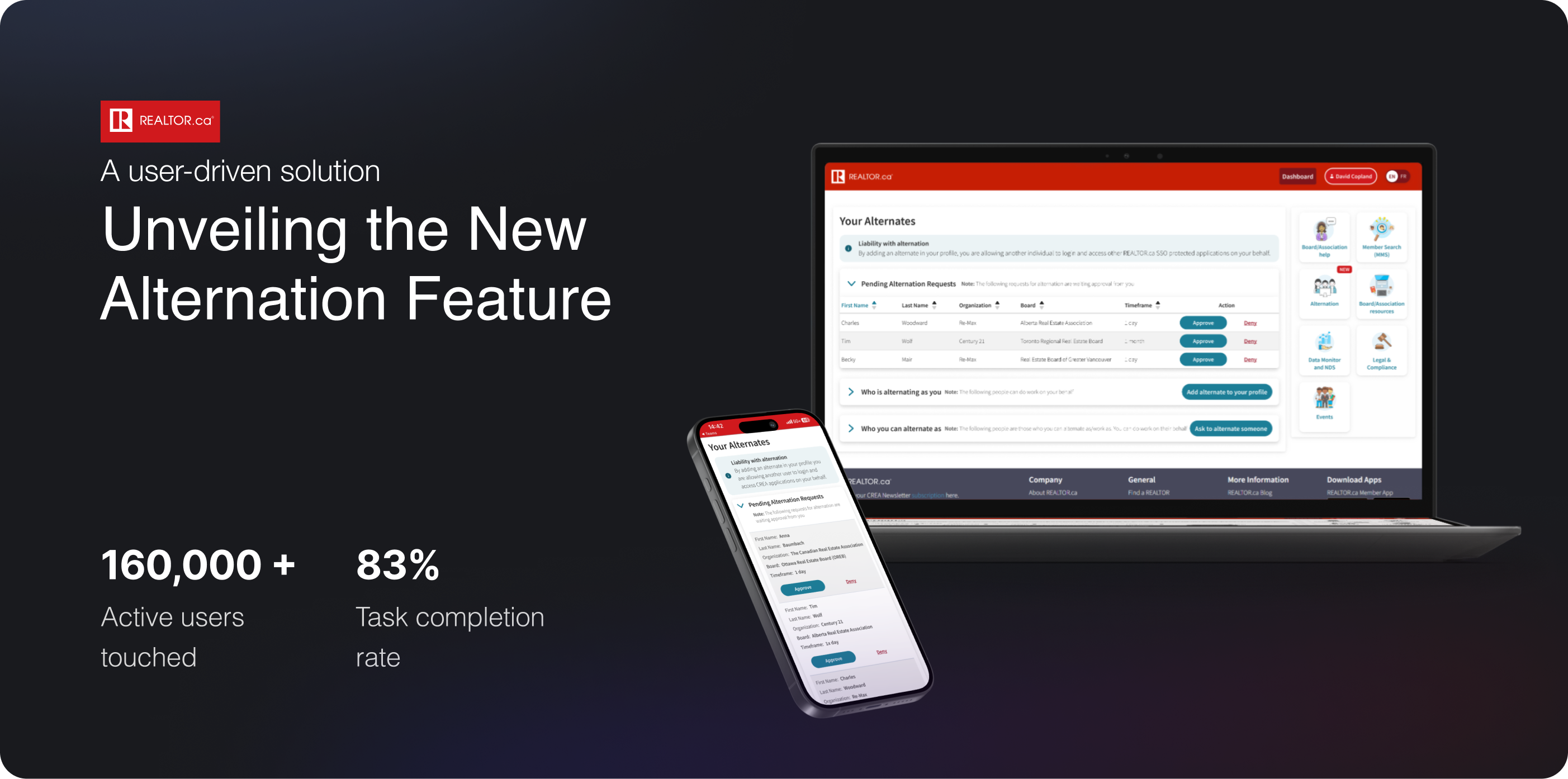
Relator.ca - Alternation Feature .
Relator.ca - Alternation Feature
.
Relator.ca - Alternation Feature
.
e sf
Overview
Responding to user needs: the Alternation feature
Realtor.ca not only offers customer-facing products but also member-facing products used by 10 million Canadians per month and more than 160,000 Realtors across Canada.
The alternation feature has been in high demand from our member users. After thorough user research and group ideation within the product team, we designed this feature to be accessible in two different cases:
- A user can add an alternate to their profile.
- A user can request to alternate another user’s account.
Role: Product Designer
Tools: Figjam, Figma, Adobe Suite, DevOps, Usertesting.com
Time: 2024
Team: 1 UX Researcher, 2 Product Manager and myself
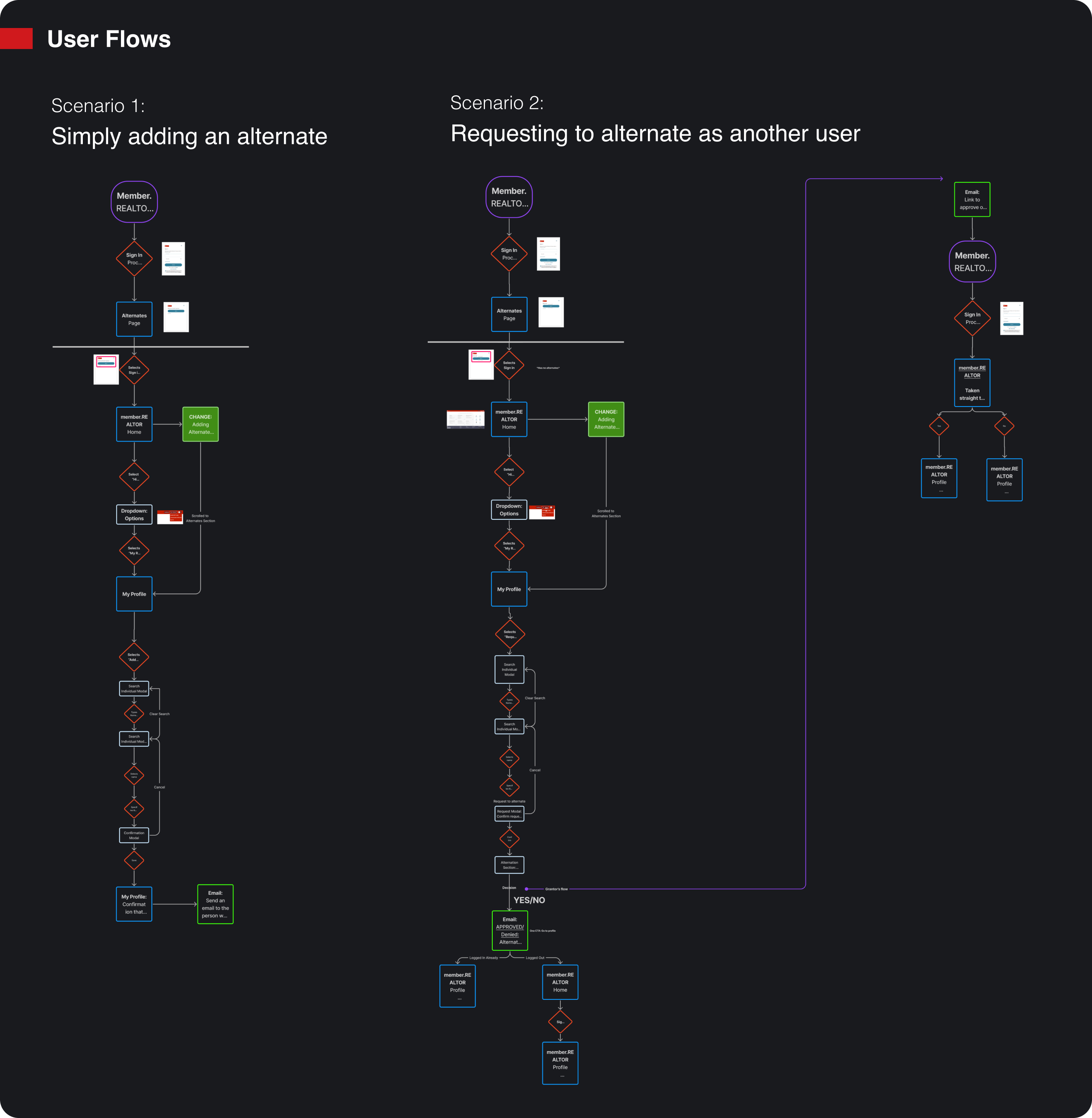
The use cases
Let’s dive into the story.
Scenario 01: Imagine you are a Realtor, David Copland
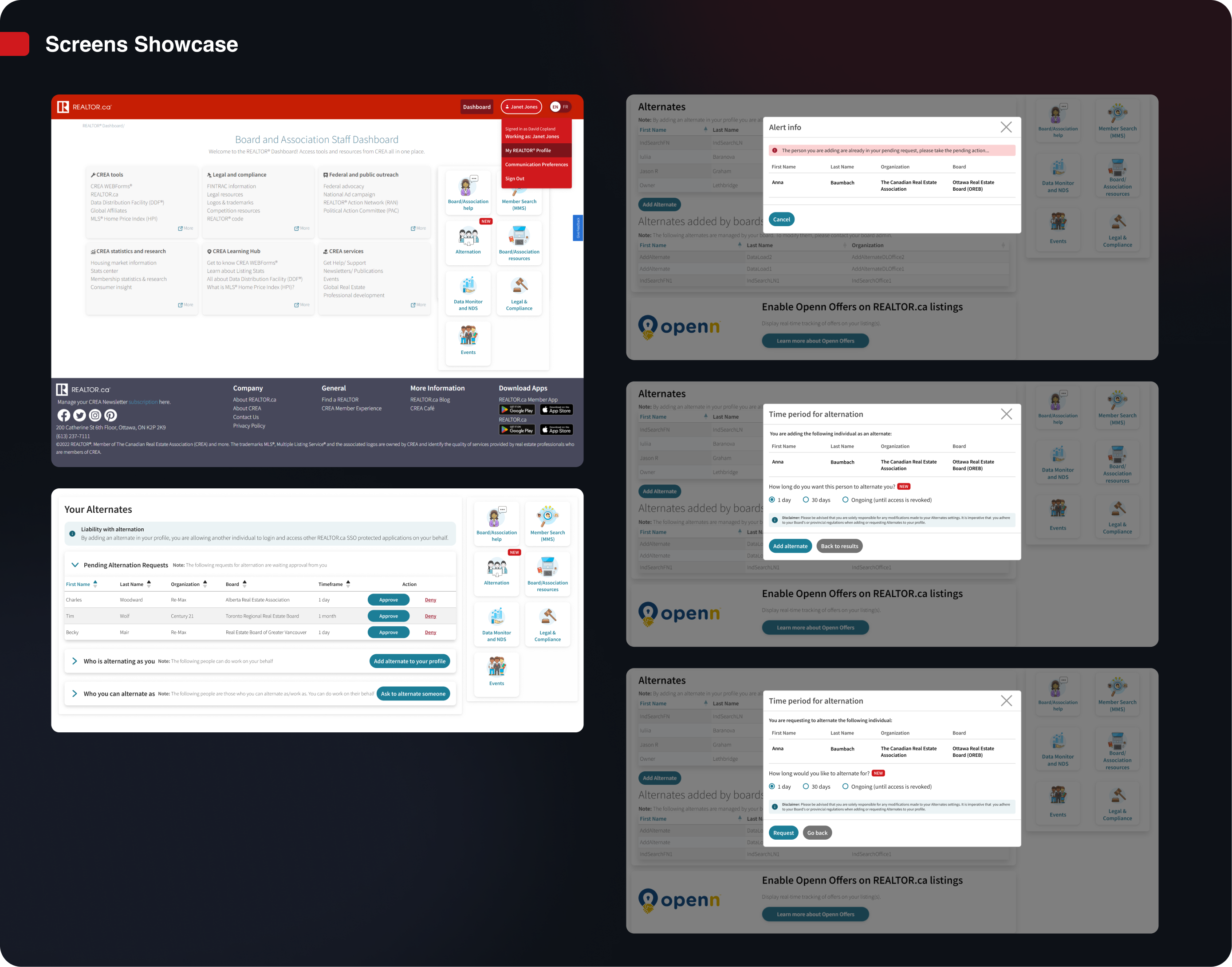
David Copland (Principal) is unable to work and wants to add Janet Jones as an alternate to handle some urgent tasks on his behalf. He signs in and then selects his own profile.

Scenario 02: Now imagine you are the Realtor Janet Jones
Janet Jones needs to work on behalf of her principal, David Copland. She has asked him to add her as an alternate, but he is on the go and simply forgot to. Janet signs in and selects the CTA - “Request to Alternate” so she can act on David’s behalf and complete the necessary work. This sends an email to David, where he can approve the request. David has the option to select a time frame for Janet to complete the tasks or add her indefinitely.

Challenges
Navigating complex user flows and edge cases
Key challenges I encountered:
My approaches
Solving design complexity with collaboration and prioritization
Here are a few highlights I contributed ↓
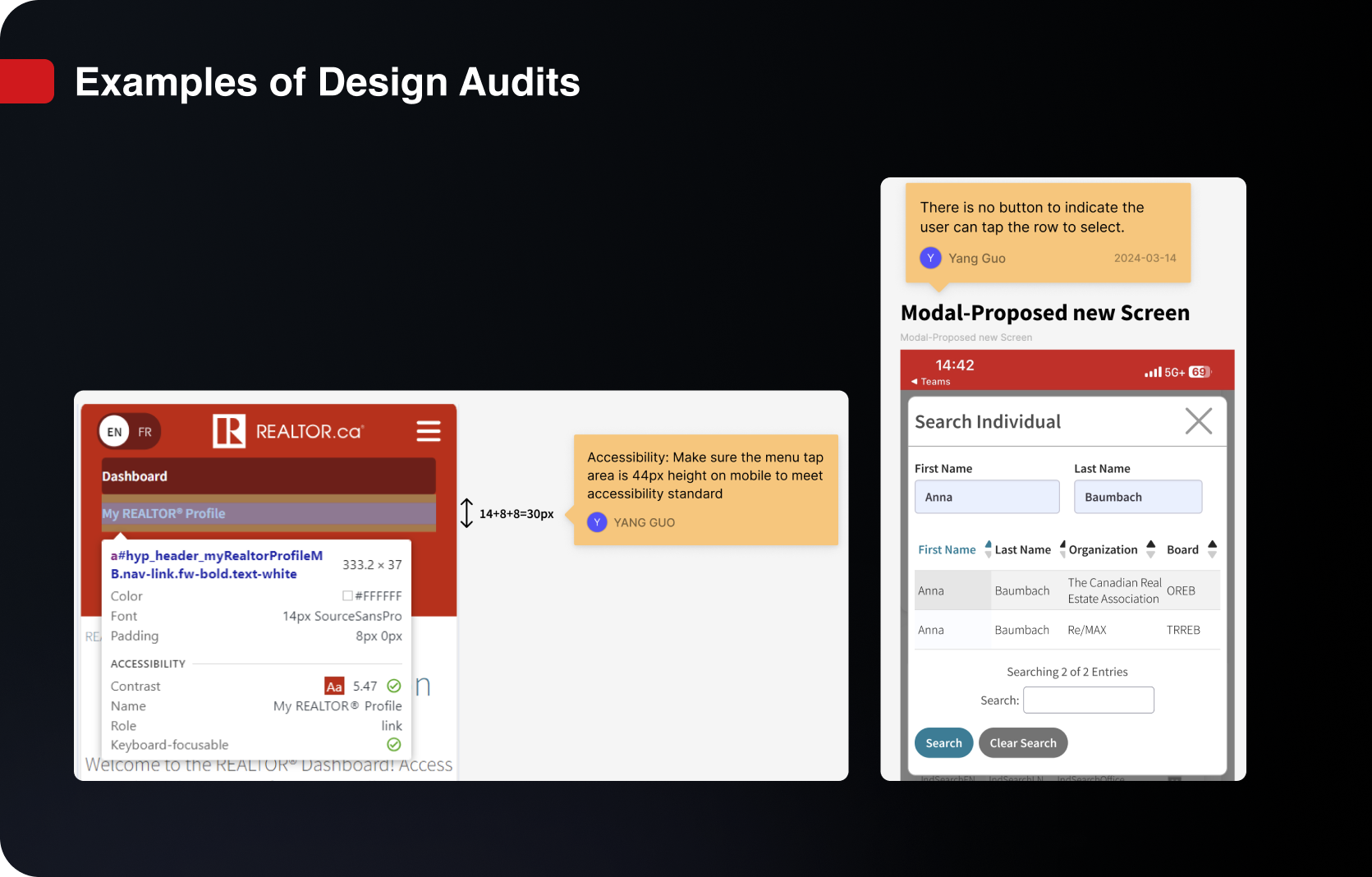
1. Auditing existing designs and suggesting better alternatives, focusing on:
-
User flow
- Consistency
- Usability
- Accessibility
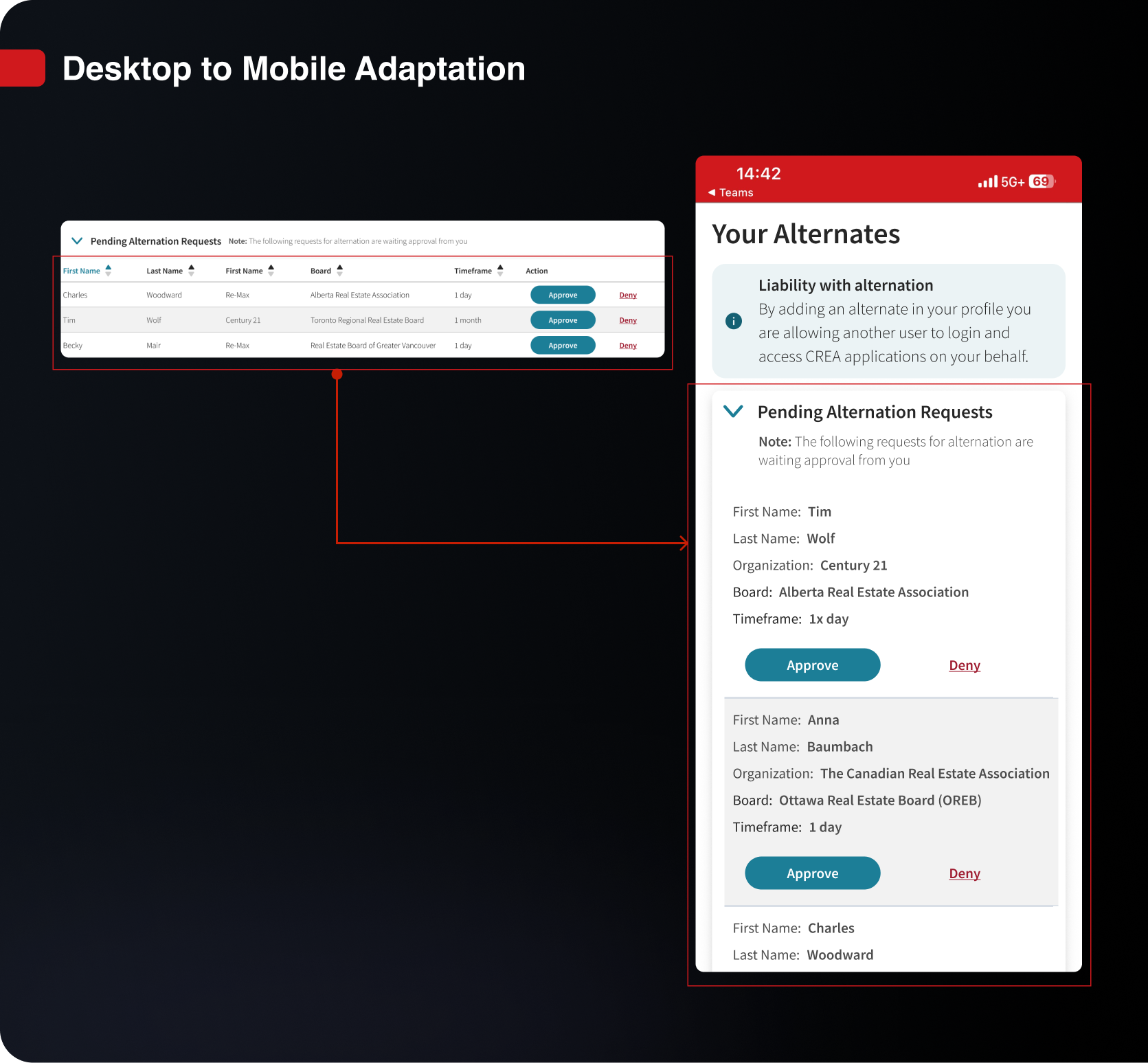
2. Addressing mobile usability issues by implementing mobile-friendly UI patterns:
3. Collaborated with PM to improve UX writing and processes:
- Hosted online co-working sessions.
- Utilized async tools like DevOps and Figma comments.
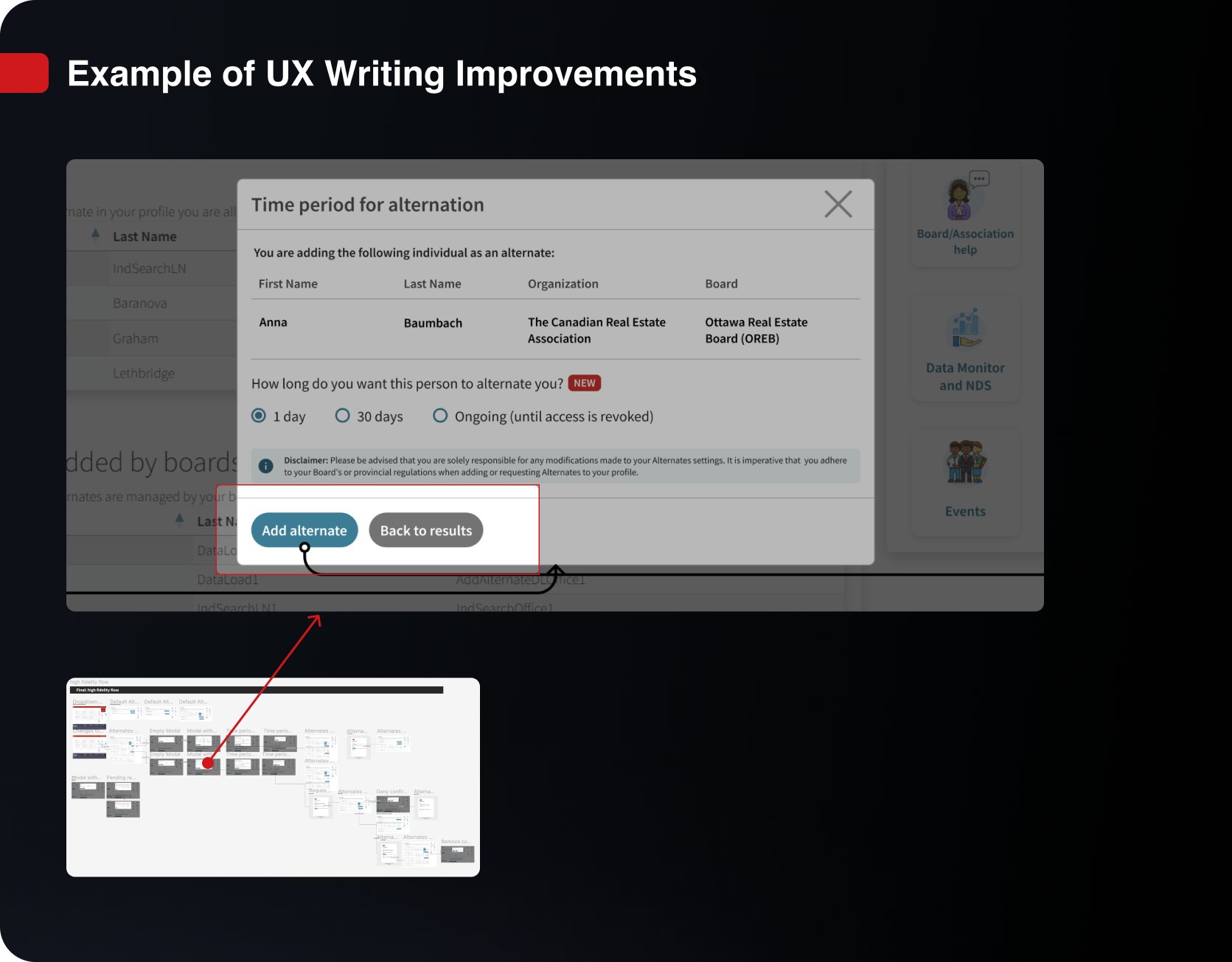
4. Collaboratively prioritize tasks and design for future iterations.
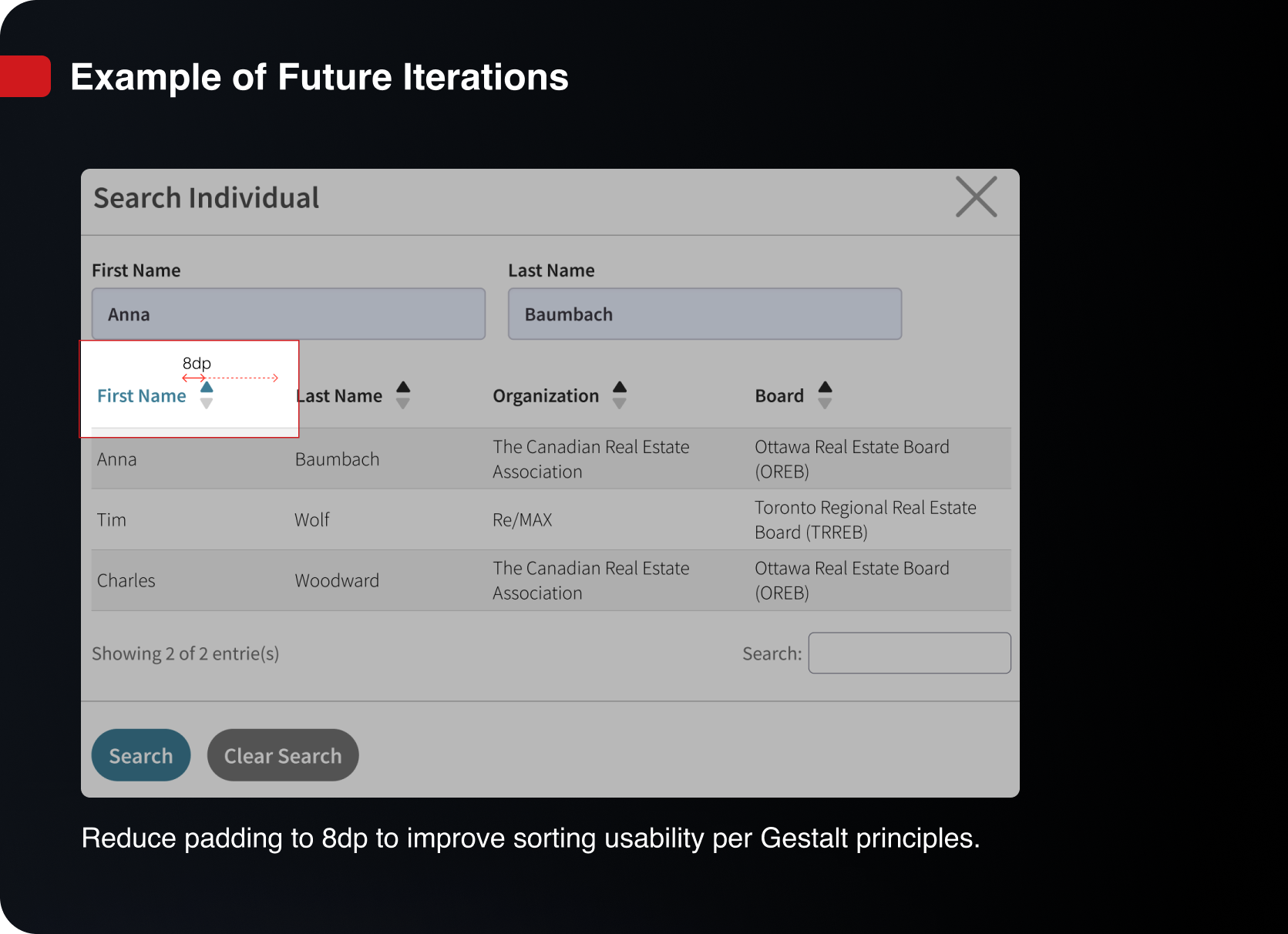
Impact
User feedback shows the true impact of our work
Currently gathering KPIs to measure success, with a task completion rate of 83% as of July 4, 2024.
User feedback during quarterly meetings:
“With this feature, our team can respond to clients much quicker. It allows us to share responsibilities without missing a beat.”
“I’ve been waiting for this feature for ages! It’s finally here, and it really makes a difference in how we manage our tasks.”


What I Learned
Together we communicate, together we create!
Over-communicating is key:
I collaborated closely with PM Pallavi to refine UX copy and project requirements across desktop and mobile.Extra effort for async communication:
To clarify the complex user flow, I annotated the final high-fi designs, which helped both PMs and developers understand and refine the UX copy for specific cases.Balancing trade-offs:
We considered technical constraints while meeting requirements and suggested improvements for future iterations.Tracking APIs and user feedback:
We received positive feedback, and tracking APIs/user feedback will guide future updates.